One tiny notch.
A dozen superpowers.
Music, AI agents, system stats, GitHub, calendar — twelve native modules that live in the dead space above your screen. Instant, private, always a glance away.
- One-time purchase
- 100% local & private
- macOS 12 or later
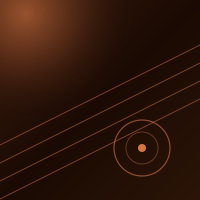
Golden Hour
Kavi Rune



Click the icons inside the notch to switch modules — that’s the real BeemNotch UI.
The ones you’ll reach for daily.
Twelve native modules in total — here are a few of the favorites, rendered live from the real app.
Now playing, front and center.
Album art, a live scrubber, and playback controls for Spotify or Apple Music — without ever opening the app. Glance up, hit play, get back to work.
Golden Hour
Kavi Rune
Every copy, kept and searchable.
BeemNotch quietly remembers everything you copy — text, links, colors, snippets — grouped by time and the app it came from. Click any item to paste it straight back.
Your Mac's pulse, always visible.
Live CPU, memory, battery, and network speed — a tiny health readout that lives above your screen, so you always know what your machine is doing.
Your coding agents, in ambient view.
Watch Claude Code, Codex, Gemini, Cursor, and OpenCode sessions stream live from your notch. No app-switching, no lost context — just a glance away.
Record, zoom, and ship in seconds.
A studio-grade recorder built right into the notch. Capture a screen, window, or region — then auto-zoom, drop it on a beautiful background, smooth the cursor, and export. No second app, no timeline wrangling.
A real export from the BeemNotch Screen Recorder.
Designed to feel native.
No accounts, no cloud, no bloat — just a fast, private, deeply-macOS app that respects your machine and your attention.
100% on-device
No account, no cloud, no telemetry. Every byte BeemNotch touches stays on your Mac — full stop.
Native Swift
Built in SwiftUI, not a web wrapper. It opens instantly, sips battery, and feels like part of macOS.
Lives in dead space
Turns the unused pixels around your notch into a real workspace — nothing else on screen moves.
Keyboard & gestures
Summon any module with a shortcut or a quick flick. Your hands never have to leave the keys.
Multi-display aware
Pin the panel to one screen, or let it follow your active display across built-in and external monitors.
Yours forever
One purchase, lifetime updates. Every new module we ship lands in your tier at no extra cost.
Buy it once.
Keep it forever.
No subscriptions, no logins, no upsells. A single purchase unlocks every module — and every update we ship next.
Free
Start with the essentials.
- Music Player
- System Monitor
- Drop Zone
- Clipboard History
- Color Picker
Pro
Every module, yours for good.
- All 12 modules
- AI Agents spotlight
- Voice Bridge & Terminal
- Lifetime updates
- Up to 3 Macs on one license
- Priority support
Launching soon — join the waitlist and you’ll be first in line at ship.
Frequently asked questions.
Everything you need to know before getting started with BeemNotch — from privacy and compatibility to how the modules and licensing work.
BeemNotch requires macOS 12 (Monterey) or later. It works on MacBooks with a notch (M1 Pro/Max and newer) and also supports non-notch Macs — the panel appears as a floating window near the menu bar.